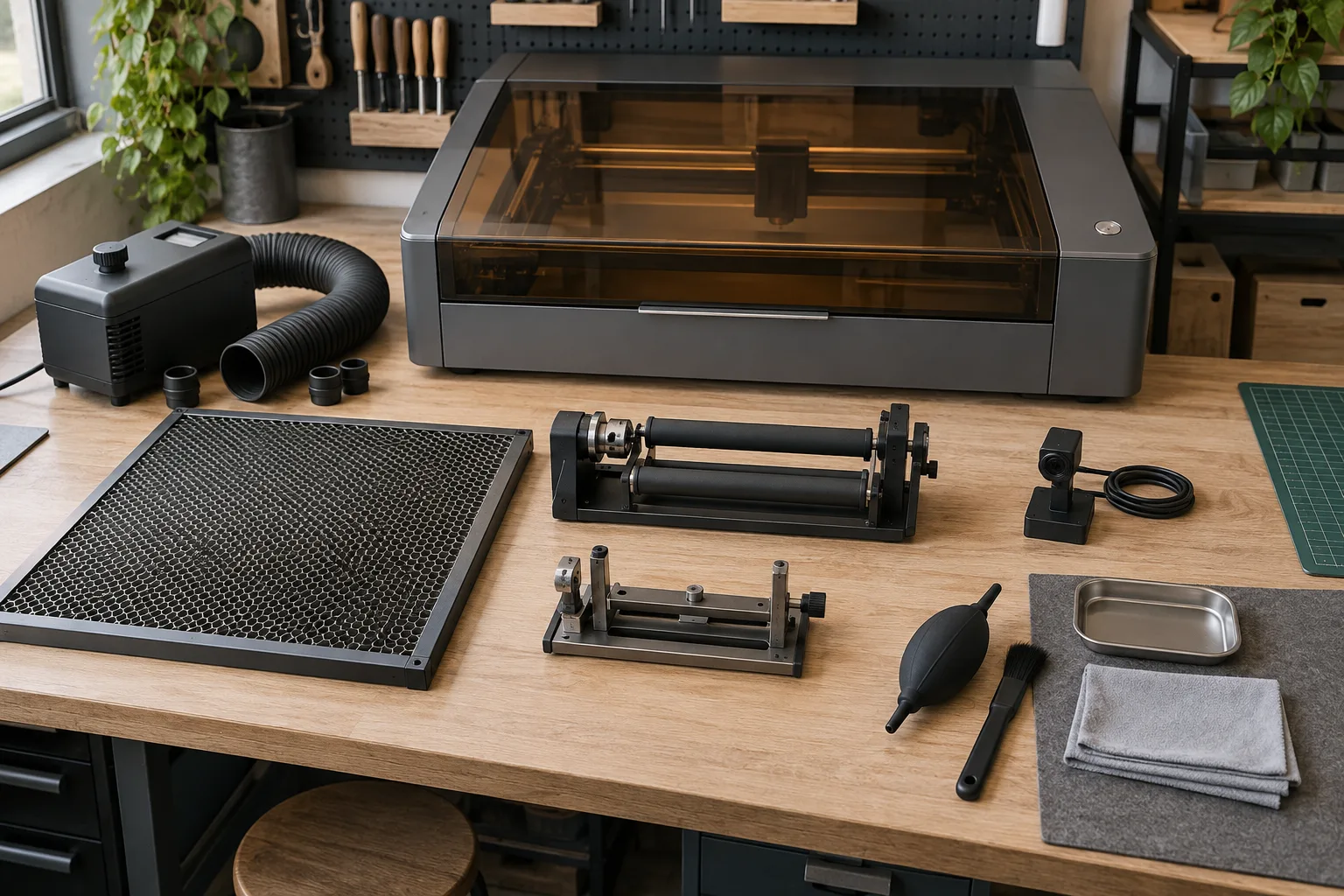
Separate safety accessories from productivity accessories
Extraction, enclosure or cover, air assist and a suitable bed belong to the process foundation. They affect what can be run safely and how residue is managed. Rotary attachments, cameras and quick-change fixtures improve a defined workflow, but they should be added after the foundation is compatible.
Eye protection belongs in that foundation too: match it to the laser with our laser safety glasses guide.
Group accessories by the problem they solve. This prevents the common mistake of buying a camera because it looks useful while the part still slips, the exhaust path is improvised or the bed cannot support the workpiece.
Choosing a support? See our honeycomb laser bed guide.
Check compatibility at the connection point
For every accessory, record the machine model, connector, mounting pattern, dimensions, load, clearance and software support. “Universal” often means “fits a range of setups with adapters,” not “works without checking.” A rotary can fit physically but still be incompatible with the controller or software workflow.
Keep the original manual and any adapter notes with the machine. Photograph the connector and mounting point before ordering a replacement or add-on. This is especially useful when a workshop has several machines with similar-looking cables.
Use the smallest accessory that solves the job
A large enclosure can be useful if the workpiece needs it, but it can also complicate ventilation and access. A heavy fixture may stabilize a club head but make small flat blanks slower to load. Choose for the actual batch and changeover pattern.
For repeat work, a simple stop, template or sacrificial surface can outperform a more complex accessory. The test is whether another person can load the part, understand the reference and get the same result without a private memory of the setup.
Keep a short maintenance kit
Consumables and cleaning tools should follow the machine maker’s instructions. Keep compatible lens or window-cleaning supplies, spare sacrificial surfaces and a documented inspection routine. Do not use a random solvent because it is nearby; optical surfaces and coatings can be damaged.
Log when an accessory was installed, adjusted or cleaned. A maintenance note turns a mystery alignment problem into a traceable change and makes it easier to decide when a part truly needs replacement.
Accessory buying order
Still choosing the machine itself? Start with our guide to the best laser engraver for beginners, then add accessories in this order.
| Accessory group | Use it when | Compatibility question |
|---|---|---|
| Exhaust / ventilation | The process creates fumes or residue. | Where is the source captured and discharged? |
| Bed / mat / fixture | The workpiece needs support or repeat placement. | Does it fit the bed and leave focus clearance? |
| Rotary attachment | You mark cups, bottles or other round parts. | Does the controller and diameter range match? |
| Camera / alignment | Artwork registration is the bottleneck. | Does the software support the camera workflow? |
Before you compare machines
- Name the workflow problem before adding an accessory.
- Check dimensions, connectors, software, load and clearances.
- Prioritize extraction, enclosure and stable workholding.
- Keep a compatibility and maintenance record for the workshop.
Questions worth answering first
What is the most important laser engraver accessory?
There is no universal single winner, but source extraction and safe containment are foundational when the process creates fumes. After that, choose the fixture, rotary or alignment aid that solves your actual workflow bottleneck.
Are laser engraver accessories universal?
Many are not. Check the machine model, connector, mounting, dimensions, controller and software before assuming a fit.
Do I need a honeycomb bed?
It depends on the workpiece, process and machine guidance. Compare support, residue management, focus clearance and cleaning—not the accessory name alone.