Laser Bench / US buying guide
A practical starting point for buying a laser engraver.
We look at the part you want to mark first, then work back through the machine, enclosure, extraction and small workshop details that affect the result. The aim is a useful shortlist, not a louder product list.
the material
whole setup
trade-offs
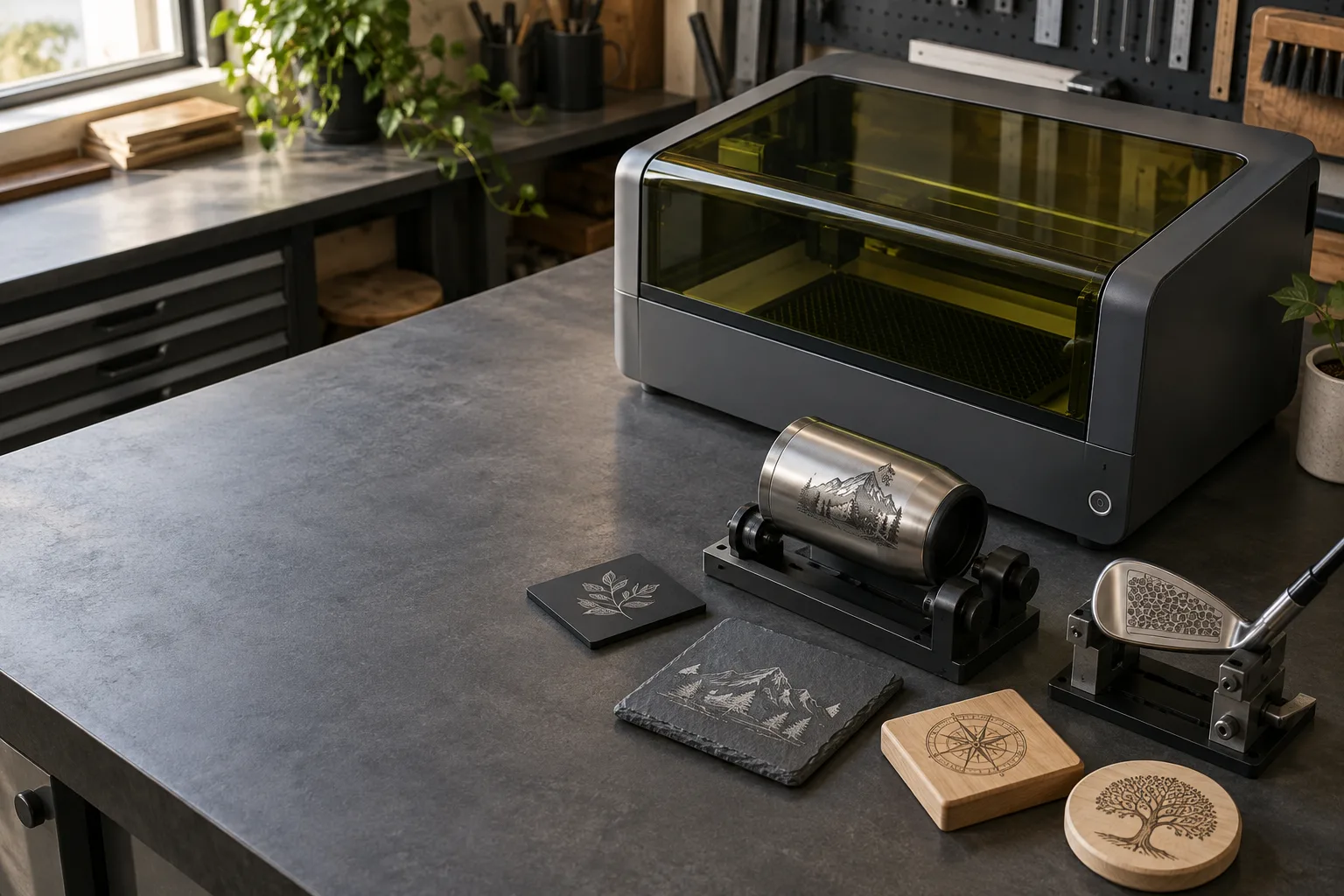
Workshop viewIllustrative image · no specific model shown
01 / Material guides
Choose the material
before the machine.
The same laser can be a sensible choice for one surface and a poor one for another. Start with the finish, the mark you need and the shape of the part.
Plastic
Polymer first: compatibility, contrast and fume control.
Read the note 02 MaterialStone
Natural variation, finish, dust and the final contrast goal.
Read the note 03 MaterialStainless steel
Match the mark, finish, tags and documented source.
Read the note 04 MaterialWood
Separate engraving from cutting; identify the stock.
Read the note 05 MaterialLeather settings
Identify the leather and build a safe, model-specific test grid.
Read the note 06 WorkflowCups
Rotary fit, taper, handles and the surface under the coating.
Read the note 07 WorkflowTumbler settings
Build a model-specific test from coating, focus and rotary fit—without borrowing a preset.
Read the note 08 Buying guideTumbler engravers
Diode or fiber by tumbler surface, then a roller or chuck rotary that fits.
Read the note 09 WorkflowGolf clubs
Small-part fixturing, alignment and finish boundaries.
Read the note 10 WorkflowJewelry
Metal, finish, tiny fixtures and the mark the customer needs.
Read the note 11 WorkflowQR codes
Module size, contrast and a scan test on the real part.
Read the note 12 WorkshopBed & mat
Support, focus height and cleanup for the exact machine.
Read the note 13 SelectionEngraver or cutter?
Choose by the material and result, not the label.
Read the note 14 SelectionLaser engraver pen
Handheld laser, mini engraver or rotary pen? Identify the tool, its laser class and the eyewear it needs.
Read the note 15 WorkshopMachine maintenance
Keep a model-specific service routine without guessing intervals.
Read the note 16 WorkflowMaterial test file
Compare a verified sample without borrowing someone else’s settings.
Read the note| Job | Start by checking | Next useful guide |
|---|---|---|
| Plastic | Polymer, coating and safe process guidance | Read the plastic guide ↗ |
| Stone | Rock type, finish, dust and contrast | Read the stone guide ↗ |
| Cups | Coating, taper, rotary range and handle clearance | Read the cup guide ↗ |
| Golf clubs | Head finish, mark zone and fixture reference | Read the golf-club guide ↗ |
| Stainless tags | Grade, finish, mark type and fixture registration | Read the stainless-steel guide ↗ |
| Wood | Species, sheet construction, detail and cut depth | Read the wood guide ↗ |
| Leather | Identify the hide or finish, verify machine compatibility and test matching offcuts | Read the leather settings guide ↗ |
| Jewelry | Alloy, finish, stones, mark type and part fixture | Read the jewelry guide ↗ |
| QR codes | Payload, module size, quiet zone and target reader | Read the QR-code guide ↗ |
02 / The rest of the setup
Plan the bench
around the machine.
Rotary work, fixtures, exhaust and room air are easy to overlook when a product page makes the laser head the whole story. These notes cover the parts that make a machine usable.
Accessories
Find the part that removes the actual bottleneck: capture, fixture, rotary work, bed or alignment.
Open system guide ↗ B / SOURCE CAPTUREExhaust system
Trace source capture, duct resistance, discharge and maintenance before comparing a fan.
Open system guide ↗ C / ROOM AIRVentilation system
Separate local exhaust from room air, replacement air and the claims a filter can support.
Open system guide ↗ D / WATTAGE50W selection
Compare source type, work envelope and complete workflow—not a lonely watt number.
Open selection guide ↗ E / METAL MARKINGFiber laser for metal
Compare finish, field, fixture, process documentation and safety support.
Open machine guide ↗ F / ALIGNMENTCamera alignment
Check the preview, calibration, part height and fixture reference before relying on placement.
Open workflow guide ↗ G / ENCLOSUREMachine cover
Match the enclosure, viewing window, interlocks and exhaust to the actual setup.
Open safety guide ↗ H / FIRST MACHINEBeginner engravers
Two US-shipping diode picks, plus how to choose power, work area, software, enclosure and safety gear.
Open buying guide ↗ I / EYEWEARLaser safety glasses
Match the lens wavelength and OD to your diode, CO2 or fiber laser, with one pick per laser type.
Open safety guide ↗03 / How we research
Useful context
before you buy.
These are buying notes, not lab reports. We explain the decisions a product listing tends to skip, and leave room for the manufacturer’s current documentation where it matters.
Start with the job. The material, finish and part shape set the useful comparison.
Include the surrounding kit. Enclosure, fixture and exhaust belong in the budget and the plan.
Keep unknowns visible. If we have not tested a result, the page does not present it as a test.