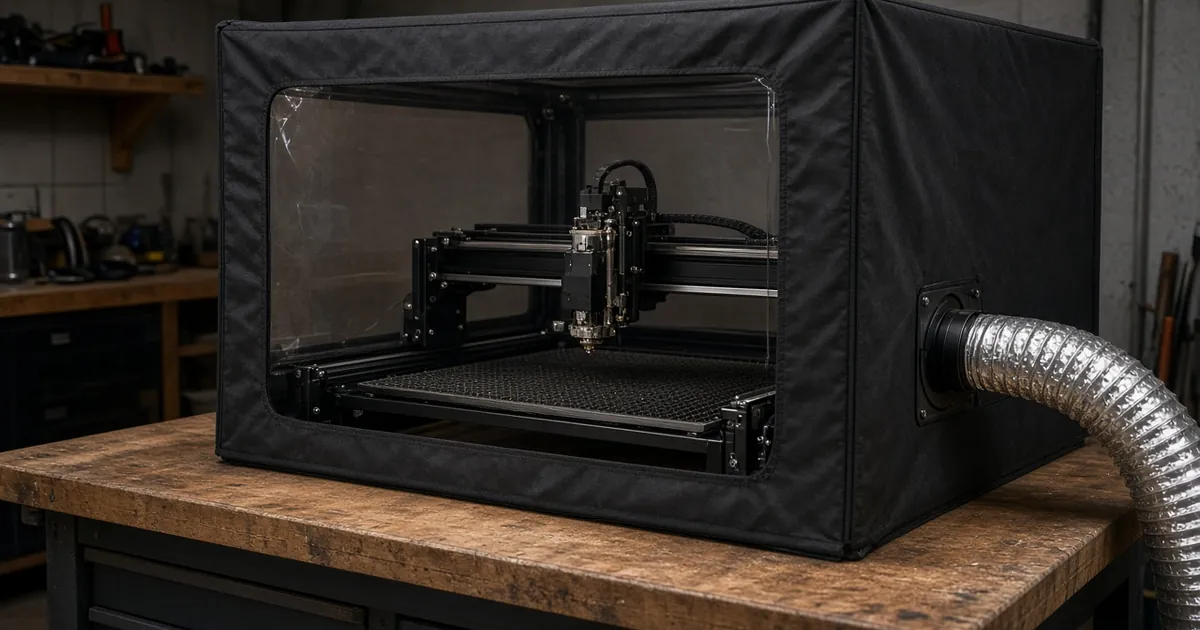
Why enclose an open-frame laser?
- Fumes and smell: burning wood, leather and acrylic releases smoke and particulates. Without an enclosure, the fan only catches whatever happens to drift into the duct.
- Light and eyes: diode laser reflections leave the work area. A box with a filtered window cuts what reaches the room.
- Safety buffer: a closed box keeps hands, pets and loose paper out of the beam path. It also contains a small flare-up long enough for you to hit the stop button.
- Steadier results: drafts can push smoke across the work and stain it. A box with controlled airflow keeps the conditions consistent.
Size-fit table: match the enclosure to your machine
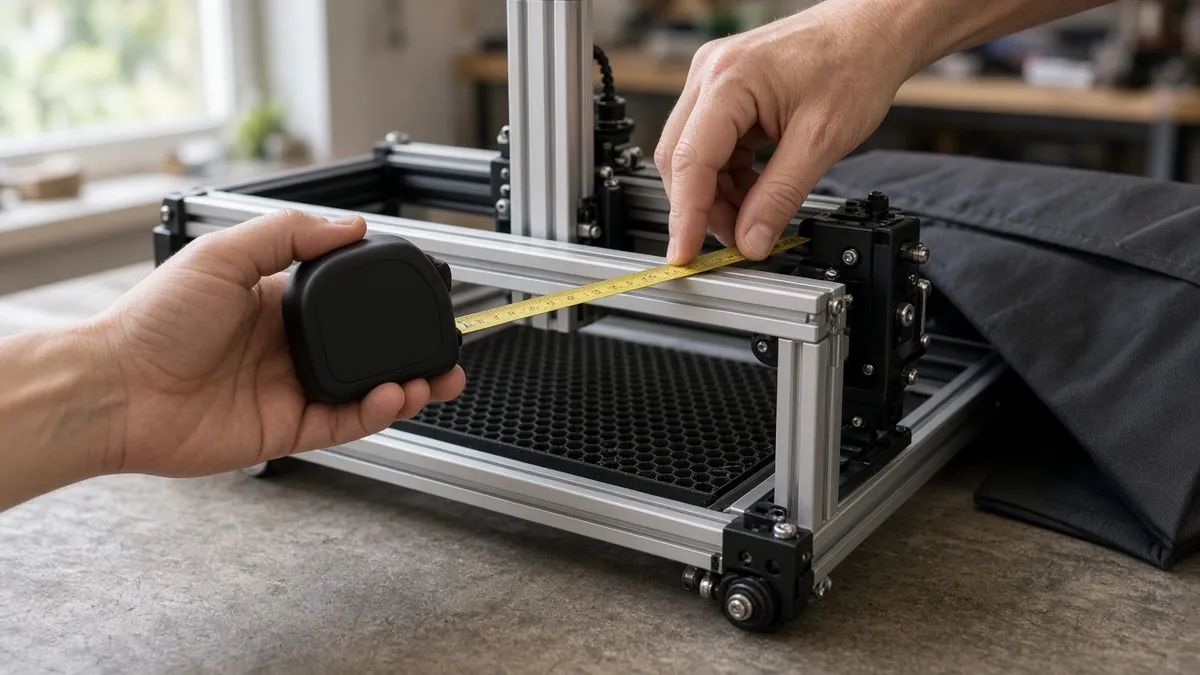
Measure the outside footprint of the frame, including the gantry at its furthest travel, the power brick, cable chains and any air-assist hose. Add clearance for a rotary or tall workpiece.
| Machine footprint (W × D, outside frame) | Typical class | Look for an enclosure at least… | Notes | Shop |
|---|---|---|---|---|
| Up to ~24 × 24 in | Compact diode (~300–400 mm work area) | ~4 in larger on each side than the frame | Leave height for the laser head plus your tallest part | Check price |
| ~24–32 in | Mid-size diode (~400 × 400 mm) | ~4–6 in larger on each side | Compare the listing’s internal size with your measurements | Check fit: the top pick may be too tight |
| ~32–40 in | Large diode / extended frame | ~6 in larger on each side | Check the door opening for loading sheets | Not linked |
| Over 40 in or with rotary | Extended rails, rotary roller | Measure the rotary in place | Many foldable tents won’t fit. Consider a rigid cabinet | Not linked |
These are rules of thumb, not standards. Always compare the listing’s internal dimensions with your measured footprint.
Fitting a honeycomb laser bed inside the enclosure? Measure the floor space first.
How our top pick fits: the Creality enclosure is listed at 700 × 720 × 400 mm (about 27.6 × 28.3 × 15.7 in). With about 4 in of clearance on each side, that leaves room for a frame up to roughly 19 × 20 in, so it suits compact machines. Many ~400 × 400 mm machines have larger frames, so measure first. The 400 mm (about 15.7 in) height also limits tall parts and rotaries. Check your machine's footprint and height against the listing before you buy.
Laser enclosure picks (by type)
Pick 2 links a specific product (our top pick). The other picks are types to shop for: use the checks under each type, and read the exact dimensions, materials and included parts on the listing.
1. Foldable fire-retardant tent with exhaust port (no fan)
Best for: people who already own a duct fan or extractor. Check: internal dimensions, fire-retardant fabric claim (ask for the standard it meets), a viewing window rated for your wavelength, an exhaust port diameter that matches your duct and fan, and a zip or flap door you can open without moving the machine.
Shopping tip: filter by size and pick a listing with an exhaust port.
2. Enclosure + exhaust fan and duct bundle
Best for: a first setup where you need everything at once. Check: the fan’s rated airflow (CFM) and diameter match the port, the duct length is enough to reach a window, and the fan has speed control. Bundles save matching guesswork, but confirm what’s actually in the box.
Our pick: the Creality enclosure with exhaust fan and duct hose, listed at 700 × 720 × 400 mm. It is sized for compact machines, so check your machine’s footprint first.
3. Large or extended-frame enclosure
Best for: 400 × 600 mm-class machines or extension kits. Check: internal width and depth, the door size for loading sheet stock, and pass-through holes for cables and air assist.
Shopping tip: our top pick is too small for this class. Compare internal dimensions, or consider a rigid cabinet.
4. Inline duct fan + window vent kit (add-on)
Best for: upgrading an enclosure that came without a fan. Check: the diameter matches the port, the fan has speed control, the window adapter fits your window type, and the hose is non-combustible (foil or aluminum, not thin plastic).
Shopping tip: look for a fan kit whose diameter matches your port.
Setting up the enclosure with exhaust
- Place the machine on a non-combustible surface such as a metal sheet or honeycomb bed, inside the open enclosure. Leave clearance on all sides.
- Route cables and air assist through the pass-throughs. Don’t pinch them in the zip or door.
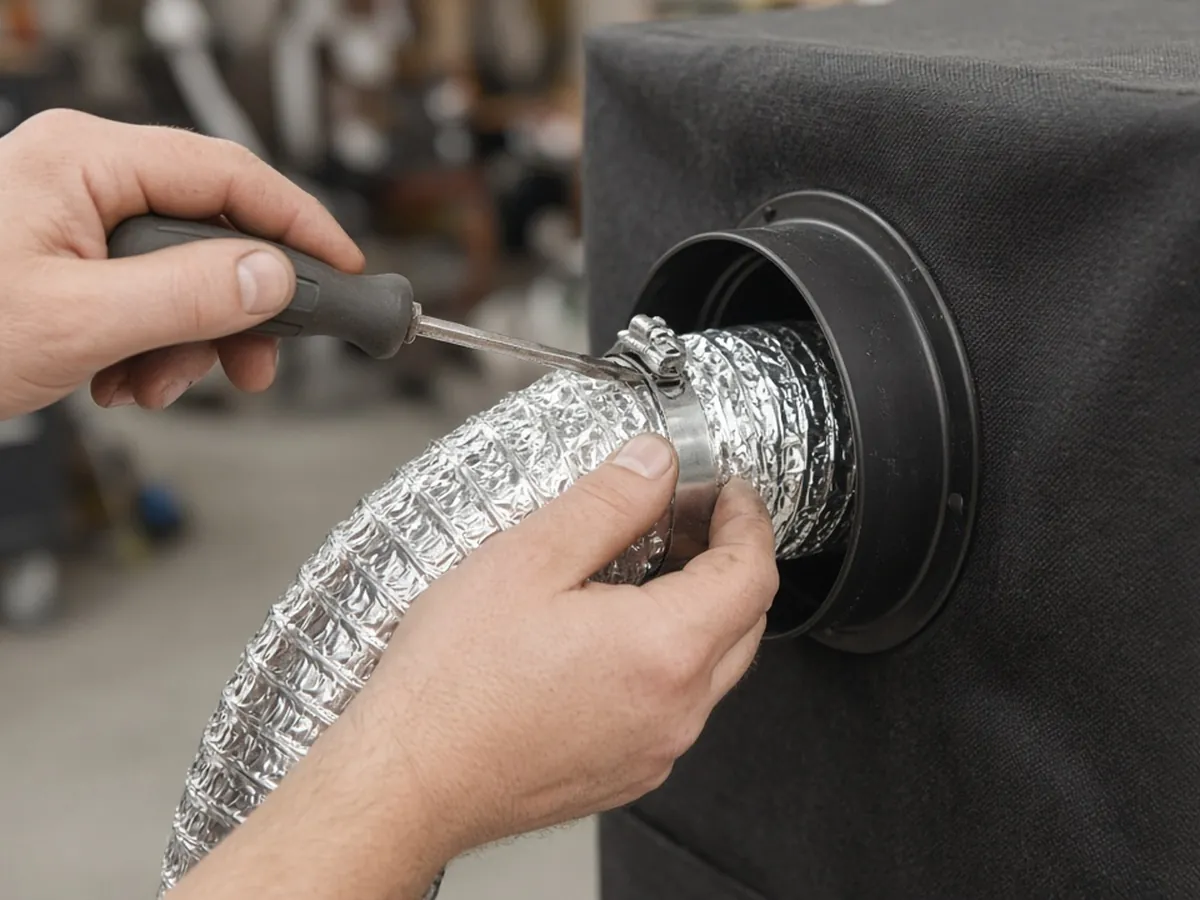
- Fit the exhaust port to the duct with a clamp. Keep the duct as short and straight as you can, because every bend reduces airflow.
- Mount the fan so it pulls air from the box and pushes it outside. Follow the fan maker’s instructions for airflow direction and placement, and check the arrow on the housing.
- Give the box a small air inlet (a partly open vent or a gap at the opposite side from the exhaust). That keeps air moving across the bed instead of the fan starving.
- Smoke-test it: run a short burn on scrap wood with the door closed and watch whether smoke leaks from seams. If it does, raise the fan speed or seal the gaps.
- Keep a fire extinguisher suited to the materials within reach, and never leave a job running unattended.
For the full capture-and-discharge picture, read our laser engraver exhaust system guide.
Buying checklist
- [ ] Internal dimensions fit the machine’s full travel, plus clearance
- [ ] The fabric claims fire retardance. Ask which test standard
- [ ] The viewing window is documented for your laser’s wavelength
- [ ] The exhaust port diameter matches your fan and duct
- [ ] Pass-throughs for power, USB and air assist
- [ ] A door you can open and close without moving the machine
- [ ] The fan (if included) has listed airflow and speed control
- [ ] The duct is non-combustible and long enough to reach outside
- [ ] Return policy covers a wrong fit
Laser enclosure FAQ
Do I need an enclosure for a laser engraver?
For an open-frame diode laser used indoors, an enclosure plus an exhaust fan is strongly recommended. It contains smoke so the fan can remove it, blocks stray light and keeps people and pets out of the beam path. If your machine shipped with an enclosure, use that one.
Is a laser engraver cover the same as an enclosure?
Sellers use the words loosely. A dust cover is for storage only. An enclosure is built to be used while the laser runs, with an exhaust port and a viewing window. Remove a dust cover before every job.
What size laser enclosure do I need?
Measure the machine’s outside footprint at full gantry travel and add a few inches on each side, plus height for the laser head and your tallest workpiece. Compare that with the enclosure’s internal dimensions.
Does a laser enclosure need a fan?
Yes, if you want the smoke gone. An enclosure on its own only traps fumes. An inline duct fan venting outside, or a filtered extractor rated for laser fumes, removes them.
Can I make a laser enclosure out of cardboard or plastic?
Avoid it. Cardboard is combustible and many plastics melt or give off fumes. If you build your own, use non-combustible or fire-retardant materials and a window rated for your laser.
Is the enclosure window enough to protect my eyes?
Only if it’s documented for your laser’s wavelength and power. If in doubt, wear wavelength-rated laser safety glasses and don’t stare at the beam through the window.